
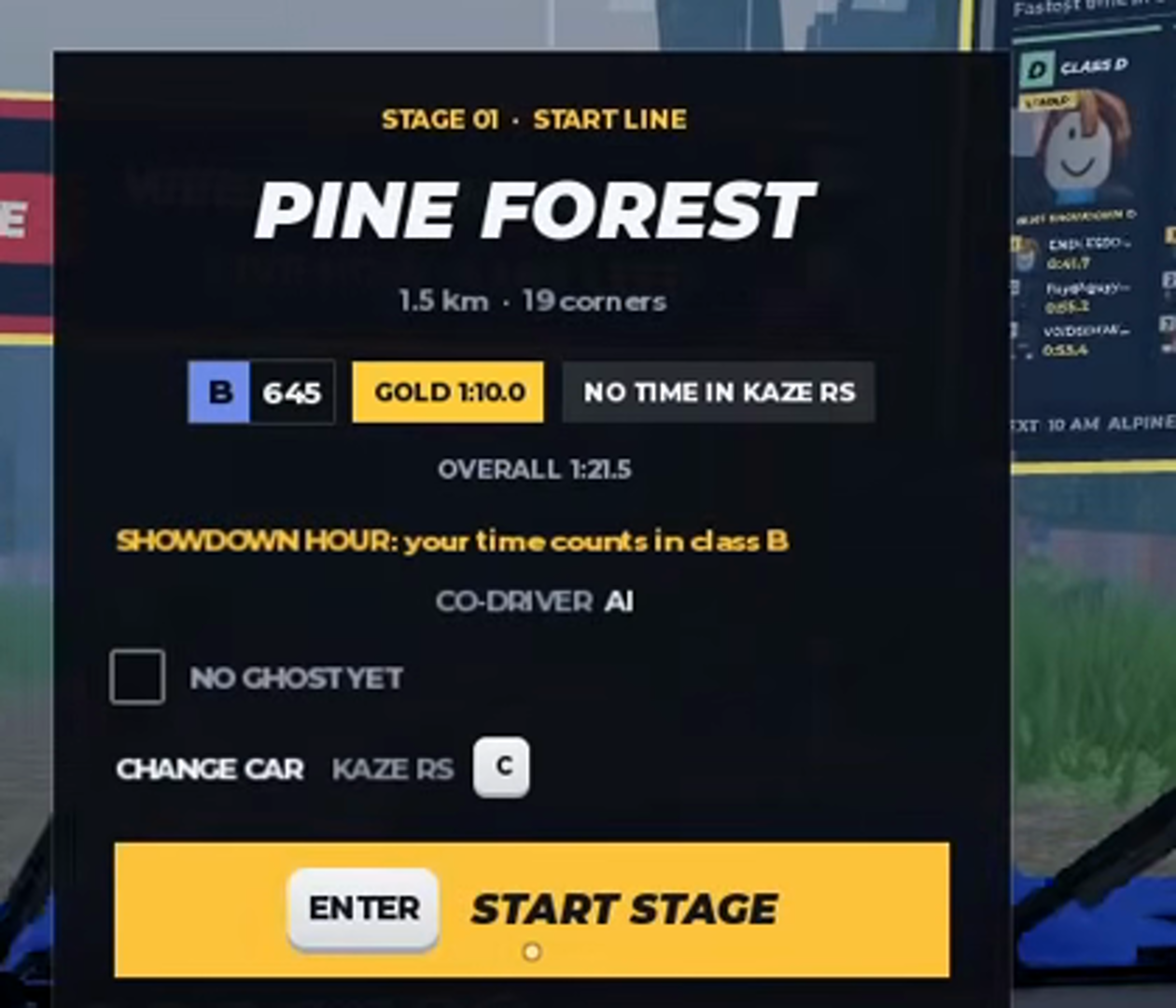
Choose a mode
- Launch the game to open the main menu showing PLAY, SHOP, MY GARAGE, CONTRACTS, STAGES, and SETTINGS.
- Select PLAY to view the three available game modes: DRIVE, CO-DRIVER, and FREE ROAM.
- Click DRIVE to take the steering wheel for your first stage.
- Review your default vehicle in the menu before entering the staging area.
| Key | Action | In-Game Function |
|---|---|---|
B |
MENU | Return to main menu |
V |
RACE | Quick restart / enter race |
C |
MY GARAGE | Open garage vehicle list |
P |
SHOP | Open vehicle store |
S |
BRAKE | Foot brake and reverse |
Space |
HANDBRAKE | Sharp rotation for hairpin corners |
G |
GHOST | Toggle race your ghost checkbox |
E |
CO-DRIVER | Enter co-driver passenger seat |
Fill or leave the co-driver seat
Before spawning onto the track, choose one of three co-driver configurations:
AI CO-DRIVER: Spawns an automated co-driver wearing a friend avatar who delivers audio and HUD pace calls throughout the stage.LEAVE SEAT OPEN: Leaves the passenger seat empty for any player in your server to climb in using theEkey.SPAWN + INVITE: Generates an invite prompt to bring a specific party member or friend directly into your car.
For your initial run, select AI CO-DRIVER so you receive corner directions without coordinating with a live passenger. You can review the co-driver call sheet to learn how pace notes correspond to steering inputs.
Roll into the start box
- Drive your vehicle forward onto the staging strip at the beginning of the course.
- Steer between the lane boundaries until your car enters the designated start box.
- Bring the car to a full stop when the screen displays
STOP IN THE START BOX. - Check the
RACE YOUR GHOSTtoggle (G) on the panel if you want your previous run displayed on track. - Wait through the countdown sequence as the lights change. The stage timer begins running only when the countdown reaches zero.
Drive the first 19 corners
Follow the dirt trail through Pine Forest, keeping the car centered between the trees and red-and-white road stakes:
- Listen to the co-driver calls or watch the HUD indicator for upcoming turn directions and severity.
- Brake early in a straight line before entering tight turns (
S), then release the brake before turning the wheel. - On hairpin turns, apply handbrake (
Space) briefly while turning to pivot the rear end around the stake. - When cresting blind hills, lift off the throttle slightly to keep all four wheels planted upon landing.
- Avoid grazing trees, rocks, and course boundaries to preserve the Clean Run bonus. Detailed surface notes appear in the Pine Forest route notes.
The timer never started
If the stage timer remains frozen or the countdown does not activate:
- Check your vehicle position relative to the start box markers. The sensor requires a complete stop inside the box.
- If your front bumper overshot the box during roll-in, engage reverse (
S) and back up entirely out of the box. - Pull forward slowly until the prompt reads
STOP IN THE START BOXand come to a dead stop. - If the prompt remains unresponsive, hold
Backspaceto restart from the start box, or pickRETRYon the results screen after a finished run.
Read your result screen
Crossing the finish line triggers the STAGE RESULTS overview.
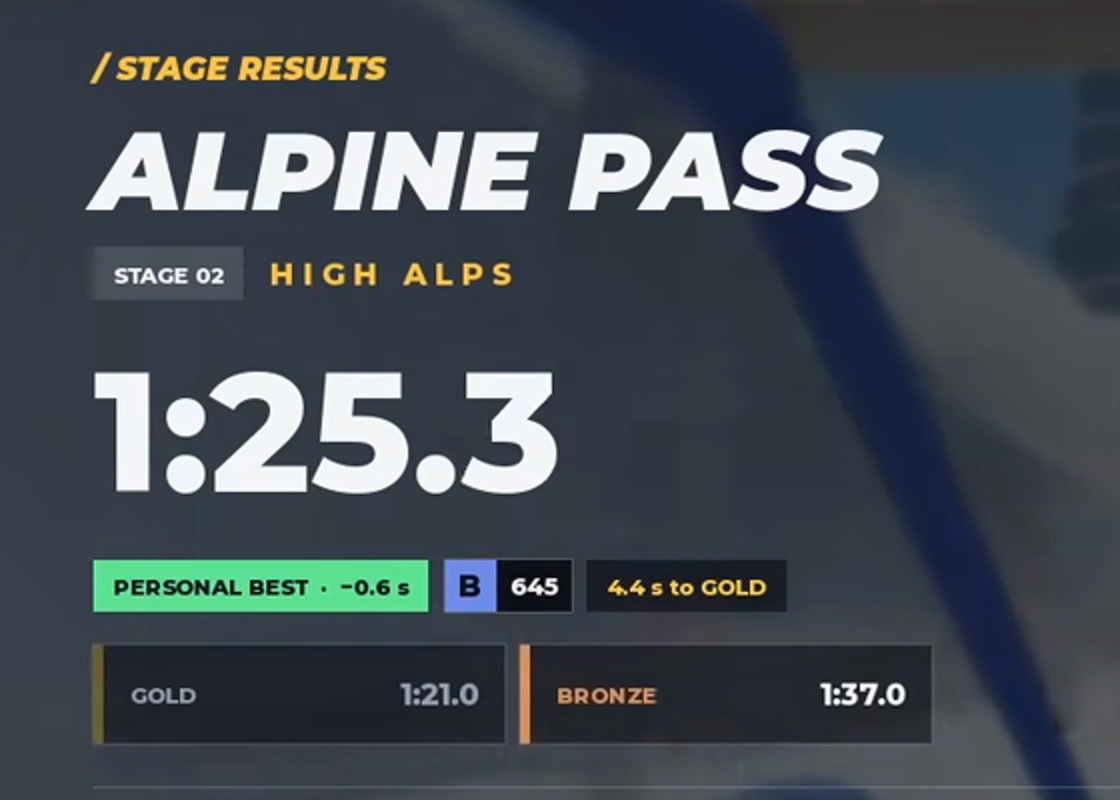
Stage results screen recorded from video o7aWLN16vgY, showing the finish time, the gold and bronze targets and the clean run status (October 2026). The screen is cut before the reward line items, which are listed on the credits page instead.
Three lines on that screen matter for your next run:
STAGE FINISH: the base payout for completing the stage. It is paid on every finish, even a scrappy one, and it grows with the stage: 100 XP and 50 CR on Pine Forest against 160 XP on Frozen Lake.CLEAN RUN: appears withNO PENALTIES. NO CRASHESonly when you finished without barrier contact. It pays 30 XP and 15 CR, and a single wall tap removes it.PERSONAL BEST: paid when you beat your own best time in that car, worth 40 XP and 20 CR. The panel also lists your best in the current car, so you can see what you are chasing.
Medal lines (gold 70 XP and 35 CR, silver 40 XP and 20 CR) sit beside those three, and the full list of lines with dates is on the credits page.
Before spending your stage earnings on vehicle upgrades, redeem any active Backseat Rally codes for free starting credits.